Modules and Navigation
See all the details about this in the full user guide: Licentra Wiki – Modules
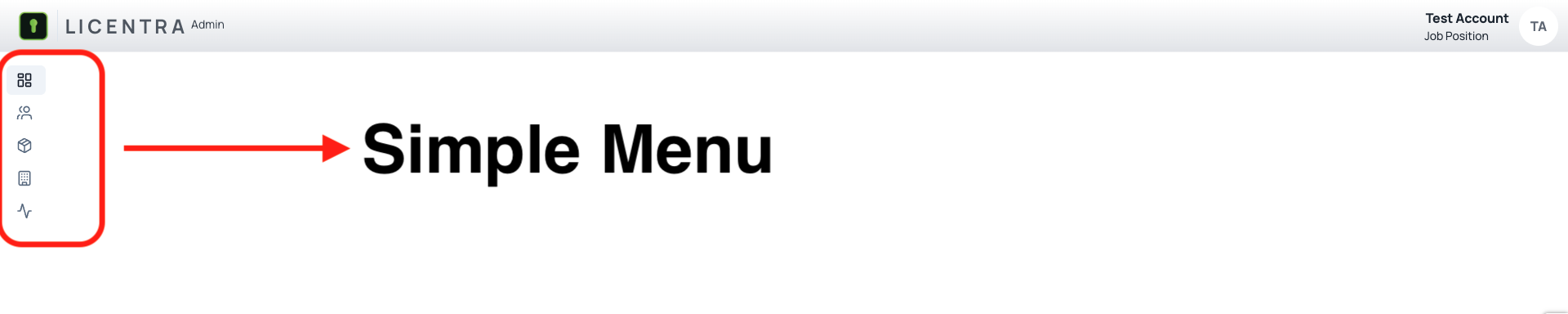
Simple and Comfortable Navigation
Licentra is designed with a focus on simple and comfortable navigation for all users. Its interface prioritizes ease of use, allowing users to move between modules smoothly and access relevant information quickly—whether through interactive tools like the bot or intuitive layout elements.
Navigation within Licentra is role-based, meaning users only see what is relevant to their responsibilities. Whether you're an administrator, manager, or support agent, the system adapts to your needs, offering only the tools and data necessary for your role.
This user-centered approach ensures not only efficiency but also reduces clutter and prevents potential confusion when interacting with the system. The use of icons, breadcrumbs, and clearly defined sections contributes to an intuitive and enjoyable experience.

Dashboard Overview
The Dashboard is the central point for consulting the overall status of the application. Rather than overwhelming users with raw data, it offers a streamlined interface where users can interact with a smart bot that retrieves accurate, real-time information based on specific queries.
From this module, employees can consult important operational metrics, including:
- Whether a customer already exists in the system
- The current status of licenses assigned to that customer (active, inactive, expired)
- Which products are linked to each customer profile
- Any expired or soon-to-expire licenses that require attention
This module serves as a quick, reliable launchpad to verify system health, understand client-product relationships, and act promptly on pending issues. It enhances productivity by saving time otherwise spent navigating across multiple modules.
The Dashboard also acts as the main entry point to navigate the rest of the system’s features. It reflects the current state of operations and helps prioritize tasks, especially during onboarding, renewals, or support activities.
Users Overview
The Users module provides a centralized space to monitor and manage all user accounts within the Licentra platform. It is strictly permission-controlled, ensuring that only administrators or users with the appropriate roles can access sensitive account information.
Authorized personnel can view:
- Full user names and identifiers
- Account creation and last modified dates
- Assigned system role (e.g., admin, support, viewer)
- Current account status (active or inactive)
Each role is more than just a label—it governs what actions users can take throughout the platform. For example, some users might only be able to view records, while others can create, edit, or delete entries. This role-based access model ensures compliance with internal policies and protects the platform from unauthorized use.
The module also supports updates to roles and account statuses, facilitating internal changes such as onboarding, role transitions, or account deactivation.
Products Module
The Products module allows administrators to manage all third-party or internal applications connected to Licentra. These products are typically the services or platforms that Licentra licenses or integrates with for customer use.
From this module, users can:
- View all registered products in a searchable and filterable list
- Verify product metadata like name, description, creation date, and assigned users
- Modify product information and assign or remove feature sets
- Enable or disable product access based on current customer agreements
Each product entry in the table is accompanied by a status indicator, helping users identify whether it's currently active (green), inactive (gray), or in a transitional state.
The module’s design prioritizes clarity and speed—essential for organizations that manage multiple SaaS products and need precise control over who can access what.
Customers Overview
The Customers module provides a structured environment to manage all client organizations registered in the platform. It consolidates company data and offers a complete picture of each customer’s engagement with Licentra.
Each customer profile includes:
- Company name and legal identifier
- Primary email address for contact
- NetSuite Account ID for system integration
- Primary point of contact
- Current account status (enabled or disabled)
- Timestamps for creation and latest update
This module is especially useful for sales, support, and operations teams that need to track and update customer relationships in real-time.
Logs Overview
The Audit Logs module is an essential component of platform governance and transparency. It captures a full historical trail of system actions performed by users and system processes.
Logs include the following details:
- Timestamp of the action
- User who initiated the change
- Entity affected (e.g., user, customer, subscription)
- IP address from which the action was taken
- Full change history, often in JSON for clarity and traceability
Whether investigating errors, auditing internal changes, or proving compliance with policies, this module provides the data needed to understand exactly what happened, when, and by whom.
Its robust structure ensures accountability at every level of the organization.
Contracts
The Contracts module complements the Subscriptions section by allowing users to manage and review the legal agreements tied to each customer’s license.
Contracts contain:
- Contract name and version
- Status: Active, Archived, or Expired
- Start and end dates
- Internal notes, amendments, and expiration reminders
- Timestamps for when the contract was created or modified
These documents are attached to specific subscriptions and are only visible through their related customer profile.
The module ensures that all stakeholders—legal, operations, and customer success—can quickly access the latest terms agreed with a client, enabling smoother renewals and compliance checks.
Access path for Contracts:
- Go to Customers
- Select a customer
- Enter Subscriptions
- Click on a subscription to view associated contracts